The Hisense A5 Pro CC runs on the UNISOC Tiger T610 UMS512 chipset and Android 10. To give a little context, I had unlocked the bootloader, rooted it and had GApps running; nothing fancy.
How it got bricked
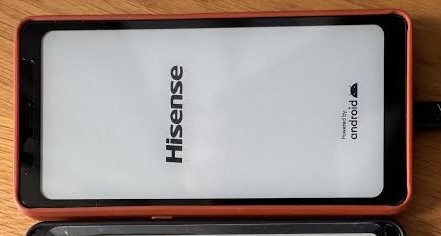
I had made a backup using spd_dump and decided to flash it after testing some mods. It got stuck at the Hisense Powered by Android screen. This was weird because I had done the backup while in a perfectly working state.
The Approach
The device was stuck on that logo screen, not in a bootloop, so I suspected something was wrong at the AVB level. I needed a frame of reference (the safe thing was to assume there was something wrong with my backup), so I downloaded the OTA update files for this model. It contained three bin files (HLTE203T.bin, HLTE203T_1.bin and HLTE203T_2.bin) which, while unencrypted, weren’t directly usable.
I merged all three into one using HXD’s Concatenate feature (HLTE203T.bin + HLTE203T_1.bin + HLTE203T_2.bin), and I got one large bin file. Using the headers & hexes from the files in my backup as hints, I extracted the boot, recovery, vbmeta, vbmeta_system, vbmeta_vendor, dtbo and super.
The plan wasn’t to flash them per se; rather, to compare as much as I could with my dump. The issue turned out to be something I could’ve easily spotted.
I unpacked the super.img which I had extracted from the OTA, but running avbtool info_image on the extracted system.img, product.img and vendor.img reported that they weren’t AVB images. I could’ve easily appended headers to them so I could resume my comparison, but chose to stop there as it probably meant that the super.img wasn’t extracted correctly from the OTA update file.
I unpacked the super.img from spd_dump backup, and avbtool info_image reported correct information on the extracted system.img, product.img and vendor.img. In fact, they matched the information on vbmeta_system and vbmeta_vendor perfectly. This meant that the super image was not the problem.
I ran the same checks on the boot and recovery images from my dump, and those were good. There were still other partitions to investigate, but these are the partitions you tend to run into trouble with.
Focusing on the vbmeta files
Next, I ran avbtool info_image on the vbmeta, vbmeta_system and vbmeta_vendor of both my dump and OTA extract then compared each side by side. There were differences, as expected, but one caught my eye.
I had not modified any vbmeta partition during the bootloader unlock and rooting process, so I expected all to be stock, but something in the vbmeta.img of my dump was different from that in the OTA:

The flag was 3 instead of 0. I would have overlooked differences in public keys and hashes since I expected differences in the OTA update, but not a flag difference.
The Fix
You could get away with changing the flag from 0 on some models, but that’s a NO-NO on many devices I’ve encountered. All other entries were the same except the flag, so I flashed the vbmeta.img, which I’d extracted from the OTA update, and the phone booted fine afterwards.
Downloads
Here are my full firmware dumps for the Hisense A5 Pro CC for those who need them to unbrick or research (I’ve included the correct vbmeta):
SPD_DUMP: https://mega.nz/file/0g5AAA6J#HCVA0oU8EjoRNN1h68o-1NNqLfWfaQC6g-EGy2lHmwc
Infinity CM2SP2 Dump: https://mega.nz/file/NtJ2AR5A#ZlO58n4qboRgMm4-Ql-OSQiMntAMH7q7Xd3OwrLrsMU
Files extracted from the OTA updated using HXD (untested): https://mega.nz/file/klJTVDJQ#6n_dfI8WZFkN-M8QI6vv6BcXfxYHLMTV16T4mA4EB54


