Just like clearing up your low disk storage, fixing high internet bandwidth/network usage (data consumption) on your Windows PC requires that you focus on finding out what’s using what. The most unlikely processes/apps end up being the culprits.
The Problem
There was heavy data consumption once the PC was connected to the internet. This often maxed out the bandwidth, causing a slow internet experience. The client was on a fixed-volume data plan, so this was a big issue.
Could it have been Windows Update?
My suspicion was Windows Update, so I tried disabling that using Wu10Man (since it was a Windows 10 PC), but that didn’t work. It was time to pull some stats to confirm my suspicion.
The Approach
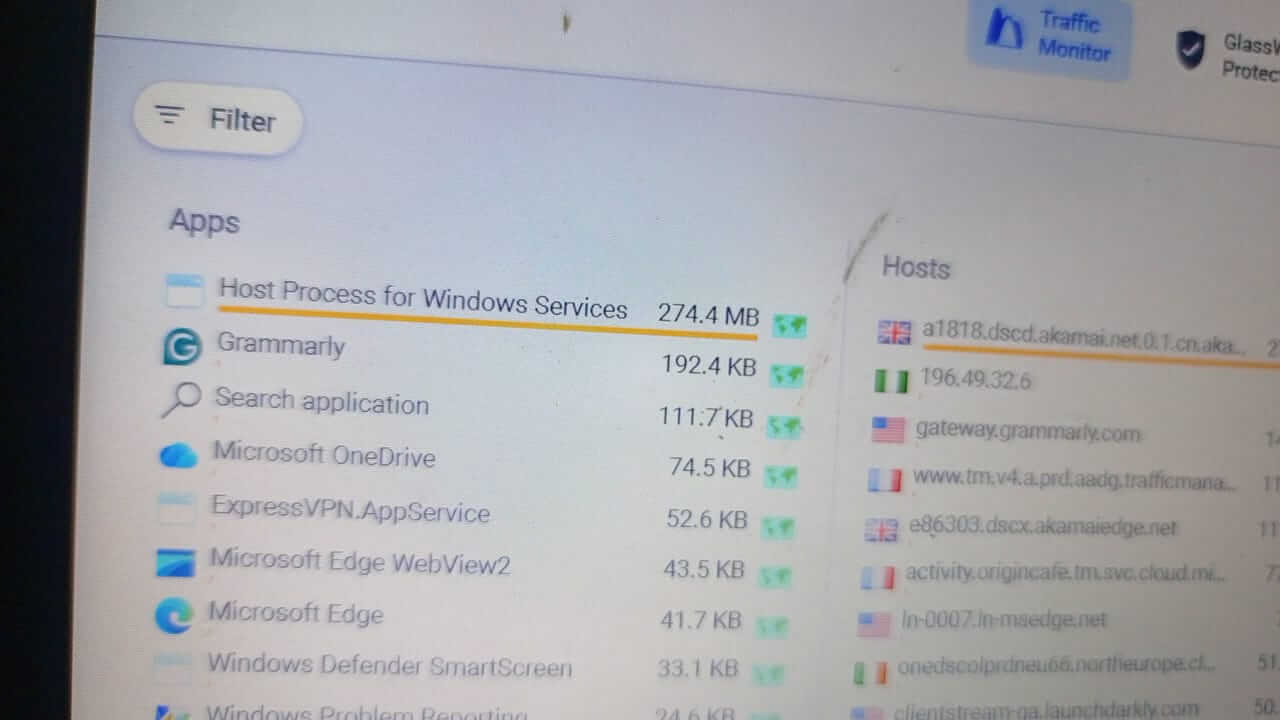
My go-to tool for monitoring network activity is GlassWire. I spotted the culprit after installing the software and setting the Traffic Monitor to the last 5 minutes. Mind you, I didn’t actively use any application during the observation. I wanted to know what consumed data even during inactive use. It turned out to be “Host Process for Windows services“; Windows Update!
The Fix: Stopping the Host Process for Windows Services.
I would normally inspect this process and others in Task Manager to narrow it down even further, but the client needed a fast fix, so I had to stop this service.
These are the steps I followed:
- Press Windows + R
- Type services.msc
- Click OK, and you should see the Services window
- Locate Background Intelligent Transfer Service on the list and double-click it
- Change Startup type to Manual
- Ensure that Service status says Stopped; if not, click Stop
- Click OK
- Press Windows + R
- Type cmd.exe
- Hold Ctrl + Shift + Enter
- You should get prompted for Administrator permission, click OK, and you should see Command Prompt
- Run the following commands and reboot afterwards:
net stop wauserv
net stop sysmain

