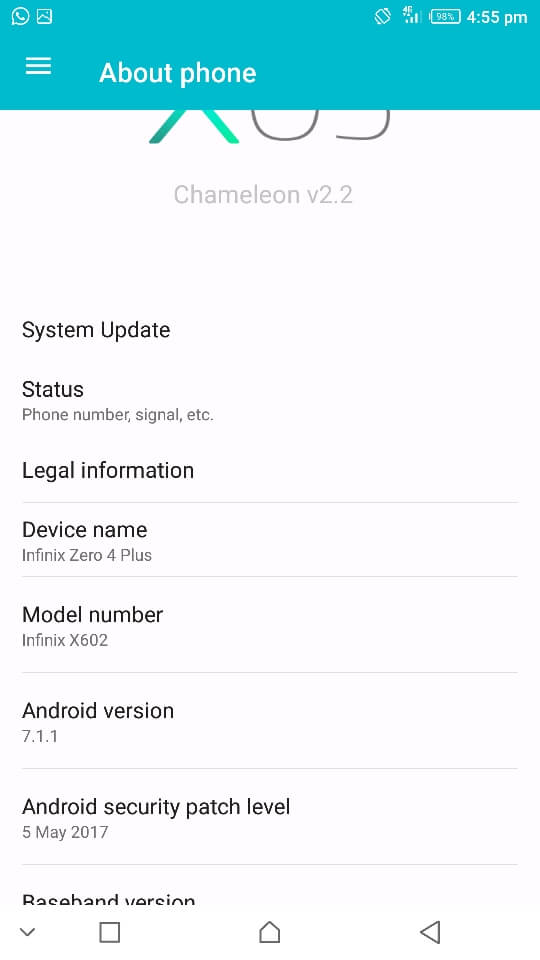
A few hours ago, the Infinix Zero 4 Plus (X602) received the official Android Nougat update Over The Air (OTA). You would recall that the Infinix Hot 4 (X557) had -last week- received its own official Android Nougat OTA update also.
Features of the Infinix Zero 4 Plus (X602) Android 7.1.1-XOSv2.1.0 X602-H972AC-N-170606V48 official OTA update
Fixed issues:
- Fixed partial camera issues to improve camera stability
- Fixed the compatibility issues in some third-party software
Optimized issue:
- Brand new Music 2.0 optimized the interface display
- Merged lucid power saving algorithm to support more lasting standby
- Optimized the focusing effect to improve the success rate
- Optimized the camera effects to improve shooting experience
- Added power saving algorithm to extend battery life
Added functions:
- Updated system version from Android M to Android N
- Supported split screen for partial apps by long pressing Recent button
- Brand new pulldown shortcuts bar ro make operations more convenient
- Added horizontal swipe to change wallpapers in Magazine lockscreen interface
- Auto-centered the icons in the Dock bar; moved multi-select icons in batch under the desktop edition status
- Added Security shutdown mode when long pressing power button to shut down the phone
Reminding:
- Optimized system stability and performance while fixing other issues
What to do before installing the Infinix Zero 4 Plus (X602) official Android Nougat update
- If you have rooted your Infinix Zero 4 Plus (Nougat) while on test / beta build then you need to unroot your Mediatek Android by downloading the Infinix Zero 4 Plus (X602) stock rom and flashing using SP Flash tool
- Take note of your phone’s current Build Number
- Its recommended you backup your firmware in scatter format using Miracle Box so you have something to rollback to incase something goes wrong or you find the Nougat update too buggy to use
- Ensure your battery is charged above 50% to avoid getting interrupted during update.zip installation
- If your phone is running on a custom recovery (e.g TWRP, Philz, CWM etc) then ensure to revert to stock recovery
How to install the official Infinix Zero 4 Plus (X602) Android Nougat OTA update
- If you got an update notification on your notifications bar then simply slide down and tap the OTA Update notification prompt
- If you are yet to get an OTA update prompt then navigate to Settings > About > System update and search for an update
- Tap Download and Install
- Wait for the update to get downloaded (the update is 1760.01 MB in size)
- Once download is complete, tap Restart & Install
- Wait while the phone boots into recovery mode and installs the update (DO NOT interrupt)
- The Zero 4 Plus should reboot to home screen once the update is completed
This update bricked my Zero 4 Plus / I don’t like the update because it has bugs
In such a case, you would need to downgrade your Android firmware. Download the Marshmallow firmware from the Hovatek Forum then follow the Mediatek firmware downgrade guide
I’m getting a black screen with a Yellow triangle when I try to update
Consider using the SP Flash tool version or the Tcard version


I do not know what to do, but I do not know what to do with it, Another version I could block all unlisted contact who will call me in xmanager.mon worries is how I can blocked at given times all the calls and message so that they no longer appear in the usual list of ‘ Apel or courier but rather elsewhere.cest what the other functionality allowed me to do.merci to answer me.
I have no idea what you’re talking about. Could you rephrase please.
If its still about Harassment Block, The location has been changed. Launch your Call app then press the Menu at the top right. You’ll find Call Blocking
Yes it is always the “block harassment” but I say that with the previous version I could block calls all the numbers not registered in my mobile but with the call blocking you speak I find only the possibility of blocked A number of my directory or a number that I have to enter myself. I want to be able to blocked at given times all the numbers that are not registered in my directory. Thank you to fix me.
Why not try True caller?
What is the true caller you asked me to download the application? Does that mean that the function I’m talking about no longer exists?
Bonjour. J’ai fais une mise à jour de mon infinix zéro 4+ vers la nouvelle version.mais j’ai constaté que la fonction “bloqué les harcèlement” a disparu dans Xmanager. Alors comment je peux désormais bloqué les numéro nom répertorié?j’ai cherché fatigué sans retrouvé. Merci de m’aider.
English please
Hello! I did some updates of my infinix zero 4+ toward a new Android version. But i have noticed that the function “bloqué les harcelements” has disappeared in the Xmanager. Then, how can I blocked now my registered numbers? Thanks to help me
Answers me .please
The location has been changed. Launch your Call app then press the Menu at the top right. You’ll find Call Blocking
I do not know what to do, but I do not know what to do with it, Another version I could block all unlisted contact who will call me in xmanager.mon worries is how I can blocked at given times all the calls and message so that they no longer appear in the usual list of ‘ Apel or courier but rather elsewhere.cest what the other functionality allowed me to do.merci to answer me.
can you give me link for download Android nougat infinix x602 zero 4+ versi global….. I’m from indonesia
Have you checked for an OTA update under Settings > About?
i’ve waited about one hour same pb the phose didn’t reboot. so I’ve rebooted it and got the same error
I have a problem using the Bluetooth earphones to make calls and answer them using this update, it disconnects all network and drops calls immediately I answer them or make them using Bluetooth. Any solution to this issue.
Go to Settings > Apps > System apps > Bluetooth then clear data and cache
I have cleared cache, cleared data, I have reset all network settings, the problem still persist.
Hi, this is Jamil from Pakistan.
I was download the update Around 1760.01 mb but after completion of all downloading cell phone has reboot and after same time give error and start with mashmellow.
Please Help me out.
Jamil.
hello,
i have the same error. My phone is not rooted !
i found in a forum that you have to wait 15 to 20 min after reboo even if you have a black screen I’ll try it
same error
After downloading when i click on install my infinix note 4 shutdown and can’t reboot. When i reboot manually a triangle appears with a red sign in. And it write: fehler. I have tried the downloading three time and obtain the same result.
Thank you for your quick help.
Did you ever root your phone?
No. Never and i dont know how to root.
I experienced the same but I havent root my phone…
Could you share a picture of this error
I had the same pb i’ve tried three time and ive also made a faktory reset and tried again the same pb a red triangle ??
Could you share a picture of this error message
after launching installation of the update the phone turned off and didn’t turned on.
after few minutes i turned it on and got a red warning triangle with two or three chinese words below.
i turned it off again and turned it on and it reboot with the old version of the OS.
https://www.4shared.com/photo/bDBcy9Fgca/erreur_infinix.html
thanks
Stable version or beta?
This is the official update, not Beta