
Infinix recently pushed an Android 6.0 (Marshmallow) OTA update to the Infinix Hot 2 X510. OTAs like this take time to go around and not everyone is willing to wait for God knows how long to receive the update so we posted the guide at https://www.hovatek.com/blog/how-to-upgrade-infinix-hot-2-x510-to-android-6-marshmallow/ to enable Infinix Hot 2 users easily upgrade their phones to Android 6.0. For those who are still having issues getting this done with that guide, we have provided an alternative; an SP Flash Tool flashable format of the OTA update.
Note: This is not an official firmware from Infinix. Team Hovatek dumped the firmware of our copy of the Infinix Hot 2 X510 which had been successfully upgraded to Marshmallow (Android 6.0) using the above guide.
Will I be able to flash future OTA updates after flashing this ROMDump?
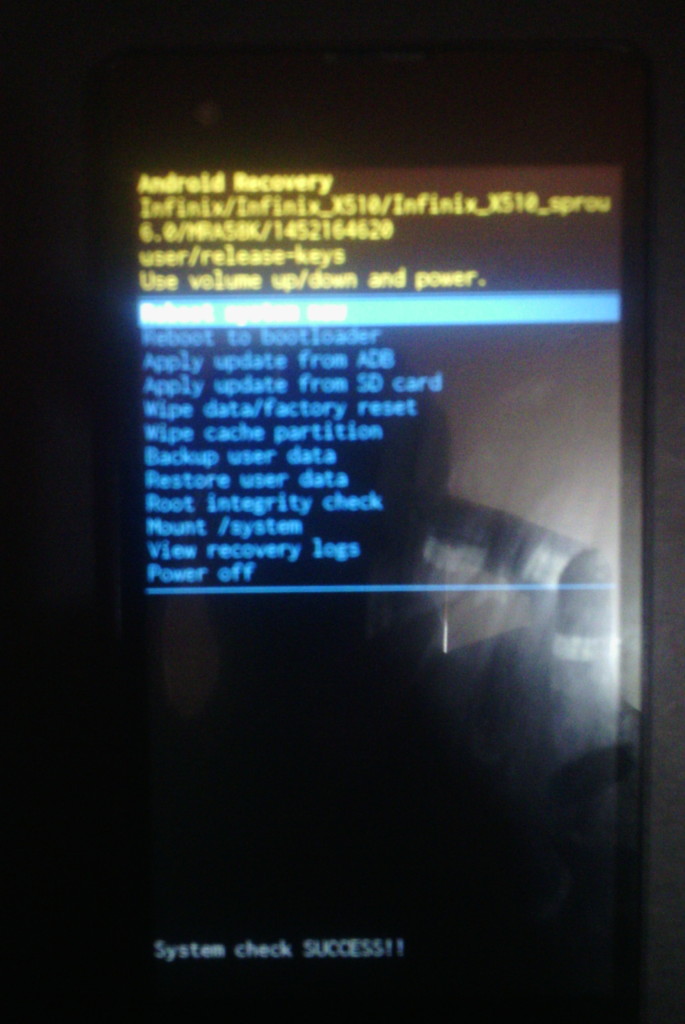
Yes, you will. The ROMDump is not rooted and is also running on stock recovery. It passed the System Check test, see proof below:
How do I upgrade my Infinix Hot 2 X510 to Android 6.0 Marshmallow using SP Flash tool?
- Download the Infinix Hot 2 X510 Android 6.0 Marshmallow ROMDump by Team Hovatek at https://hovatek.com/redirect.php?link=https://docs.google.com/uc?id=0B1ukKq9qHhpBT20ycjJMbHM3ZVE&export=download
- Extract the content of the zip file into a folder
- Install Mediatek VCOM Drivers on your PC using the guide at https://www.hovatek.com/forum/thread-440.html
- Following the SP flash tool guide at https://www.hovatek.com/forum/thread-159.html , flash the ROMDump using the Firmware Upgrade option in SP Flash Tool
- Boot the phone once flashing is complete (DO NOT interrupt SP flashing)
- If the phone gets stuck at boot animation, take out the battery and slot back in then leave it to boot up
- Setup the phone then go to Settings > About to confirm that your Infinix Hot 2 X510 is now running on Marshmallow.
Hovatek….just a button away!
thanks Hovatek Team, work 100% marshmallow!
good job broo. I am in Indonesia, Majalengka
You’re welcome. Don’t forget to share
Can I flash just the system.img of the infinix hot 2 Android 6.0 rom?
Not system alone else you’ll brick your phone
OK…. Give me d link too… It’ll come in handy.. Thanks
https://www.hovatek.com/blog/how-to-install-windows-7-with-and-without-the-operating-system-cd-dvd/#sthash.f1Ro7BqC.dpbs
and
https://www.hovatek.com/blog/how-to-install-windows-8-with-and-without-the-operating-system-cd-dvd/#sthash.YaqSBMQO.dpbs
Roger that…. Pls do you give guides on computers too… Wanna reload my window xp desktop computer…. I’d really appreciate if I get a guide on how to go about it
We only have a guide on installing Windows 7 and 8
We tested d infinix X506 with another TouchPad…. It worked….so d fault was from d TouchPad all d way.. . It’s spoiling just coincided with d time of d flash…. Thanks for ur help through it all….
Glad to know its fixed. Don’t forget to share the above post
Best site ever,went smoothly @upgrade,,bt a bug tho d power button response is slow some times
Yes, that’s a known bug
Now the official update is available in settings-about phone-system updates.. Now the power button bug is fixed
Thanks for sharing this info. A link to the ota zip would surely come in handy
How do i download the file ? When i skip ads it takes me to the hovatek file but unlike the january build it doesnt give any download option.
Thanks for bringing this to our attention. We’ve fixed it. Please, refresh the article then reclick the link
We would appreciate your feedback
Thank you very much. I have now been able to download the DumbRom for the febuary build.
Lol. It’s a ROMDump.
Glad to know it worked for you
Everyone loves what you guys are usually up too. Such clever work and
coverage! Keep up the superb works guys I’ve incorporated you guys to my own blogroll.
This paragraph will assist the internet viewers for creating new website or even a weblog from start to end.
Did that…. Didn’t work…. Installed a custom ROM… Still d same…. Am all out of ideas hovatek…. Any other ideas left
Ok. Let’s try this. Zip and Email the scatter file of the j609 firmware to support@hovatek.com