
Infinix recently pushed an Android 6.0 (Marshmallow) OTA update to the Infinix Hot 2 X510. OTAs like this take time to go around and not everyone is willing to wait for God knows how long to receive the update so we posted the guide at https://www.hovatek.com/blog/how-to-upgrade-infinix-hot-2-x510-to-android-6-marshmallow/ to enable Infinix Hot 2 users easily upgrade their phones to Android 6.0. For those who are still having issues getting this done with that guide, we have provided an alternative; an SP Flash Tool flashable format of the OTA update.
Note: This is not an official firmware from Infinix. Team Hovatek dumped the firmware of our copy of the Infinix Hot 2 X510 which had been successfully upgraded to Marshmallow (Android 6.0) using the above guide.
Will I be able to flash future OTA updates after flashing this ROMDump?
Yes, you will. The ROMDump is not rooted and is also running on stock recovery. It passed the System Check test, see proof below:
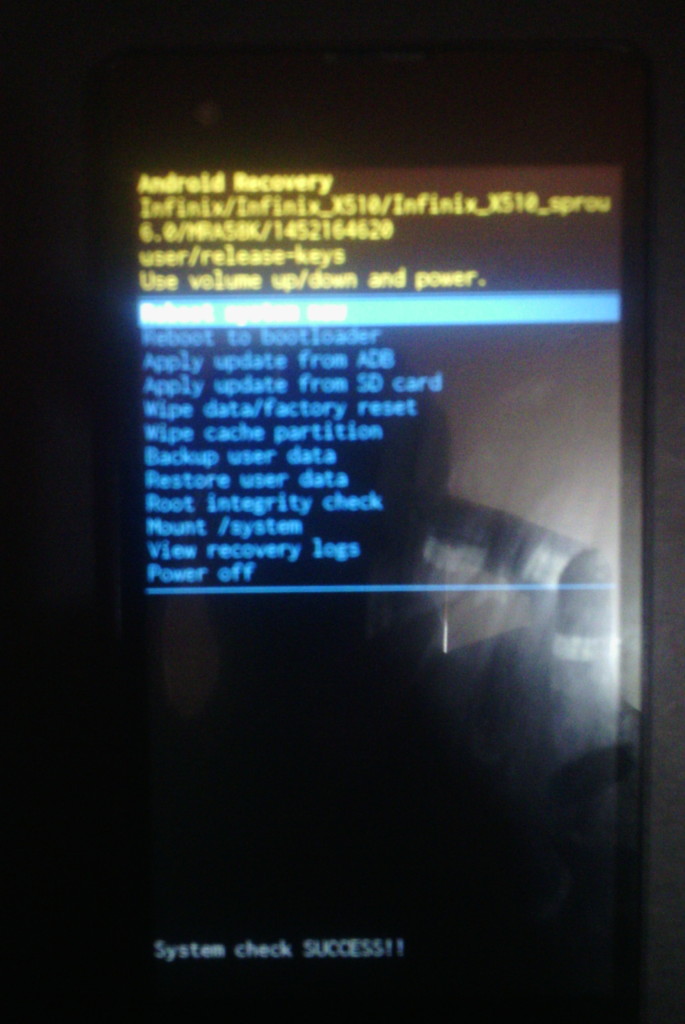
How do I upgrade my Infinix Hot 2 X510 to Android 6.0 Marshmallow using SP Flash tool?
- Download the Infinix Hot 2 X510 Android 6.0 Marshmallow ROMDump by Team Hovatek at https://hovatek.com/redirect.php?link=https://docs.google.com/uc?id=0B1ukKq9qHhpBT20ycjJMbHM3ZVE&export=download
- Extract the content of the zip file into a folder
- Install Mediatek VCOM Drivers on your PC using the guide at https://www.hovatek.com/forum/thread-440.html
- Following the SP flash tool guide at https://www.hovatek.com/forum/thread-159.html , flash the ROMDump using the Firmware Upgrade option in SP Flash Tool
- Boot the phone once flashing is complete (DO NOT interrupt SP flashing)
- If the phone gets stuck at boot animation, take out the battery and slot back in then leave it to boot up
- Setup the phone then go to Settings > About to confirm that your Infinix Hot 2 X510 is now running on Marshmallow.
Hovatek….just a button away!
With d replacement file
Don’t use the replacement files for now
Hovatek Infinix X506 J609 16gb
Do a firmware upgrade with the J609 kitkat stock ROM
Can anything be done to fix it from d recovery menu?
Just checking something.
What’s the exact file name of the J609 kitkat firmware you flashed?
Yes.. It’s in recovery mode now
Do a factory reset
I used firmware upgrade option for d lollipop but d download only option for kitkat
Can the phone enter recovery mode?
Yes
Ok
Am talking about d infinix X506
J609 right?
Flashed with d lollipop ROM and d TouchPad no longer works…. Flashed it back to d kitkat ROM… Still d it’s not working… D TouchPad I mean… Did I do something wrong or it just developed d problem coincidentally with d time I Flashed
Not sure. Did you flash using the firmware upgrade option?
For your touch pad to ave stopped working on flashing a new ROM, you should consider if your device actually fell down during the process.. Was the tp(touchpad) working well before the ROM?Did the flashing process finish before you reboot? Did you flash the correct ROM scatterfile? These are the questions you should answer as i have flashed several devices and none stopped touching… Any other observation?
worked perfectly.. used sp flash tool and unticked userdata after loading scatterfile.. pressed all d volume buttons and power button simultaneously and sp tool detected and it used like 10mins
you’re welcome. dont forget to share the post
Is there no lollipop ROM for it?
There is. see https://forum.hovatek.com/thread-9495.html