[Please help] Windows 10 powershell problem
[Please help] Windows 10 powershell problem
03-09-2018, 06:09 PM
(03-09-2018, 05:57 PM)samolu(03-09-2018, 05:43 PM)samolu(03-09-2018, 01:41 PM)X3nonMy PC powershell is located at "Local disk C: > windows>system32>windowsPowerShell>v1.0"(02-09-2018, 07:39 PM)samolu Please check the pics I added to confirm what I saw when trying to launch powershell
powershell is supposed to be located at
meanwhile yours is located somewhere else under users directory. retry running powershell from the directory aboveCode:%SystemRoot%\system32\WindowsPowerShell\v1.0\powershell.exe
And when I try launching it from this directoy as administrator and as normal user, it says
"This operation has been cancelled due to restrictions in effect on this computer. Please contact your system administrator. "
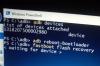
Please check the pics below
03-09-2018, 06:11 PM
(03-09-2018, 05:57 PM)samolu(03-09-2018, 05:43 PM)samolu(03-09-2018, 01:41 PM)X3nonMy PC powershell is located at "Local disk C: > windows>system32>windowsPowerShell>v1.0"(02-09-2018, 07:39 PM)samolu Please check the pics I added to confirm what I saw when trying to launch powershell
powershell is supposed to be located at
meanwhile yours is located somewhere else under users directory. retry running powershell from the directory aboveCode:%SystemRoot%\system32\WindowsPowerShell\v1.0\powershell.exe
And when I try launching it from this directoy as administrator and as normal user, it says
"This operation has been cancelled due to restrictions in effect on this computer. Please contact your system administrator. "
Please check the pics below
Attached Files


03-09-2018, 08:33 PM
(03-09-2018, 06:11 PM)samolu Please check the pics below
Something must be blocking powershell from running
try this
* click start menu
* type "regedit" and launch register editor
* navigate to
Code:
\HKEY_CURRENT_USER\Software\Microsoft\Windows\CurrentVersion\Policies\Explorer\* delete the key "DisallowRun"
* try launching powershell and see if it works
* then lastly, restart the PC and try launching powershell
lets know the outcomes
Learn MediaTek, Unisoc / Spreadtrum (SPD) and Qualcomm Software Repairs @ https://www.hovatek.com/training
Note!
We have a reply schedule for Forum Support. Please try Private Support if you can't wait.
03-09-2018, 10:27 PM
(03-09-2018, 08:33 PM)X3non(03-09-2018, 06:11 PM)samolu Please check the pics below
Something must be blocking powershell from running
try this
* click start menu
* type "regedit" and launch register editor
* navigate to
Code:\HKEY_CURRENT_USER\Software\Microsoft\Windows\CurrentVersion\Policies\Explorer\
* delete the key "DisallowRun"
* try launching powershell and see if it works
* then lastly, restart the PC and try launching powershell
lets know the outcomes
Wow!!! This is awesome. It worked when I deleted the key "DisallowRun".
But when I restart the PC, it went back to the same problem "restrictions"
This time around it's no longer showing the directory on the first pics. It's showing the restrictions error just exactly like the one on the second pics
04-09-2018, 03:39 PM


(03-09-2018, 10:27 PM)samolu Wow!!! This is awesome. It worked when I deleted the key "DisallowRun".
But when I restart the PC, it went back to the same problem "restrictions"
This time around it's no longer showing the directory on the first pics. It's showing the restrictions error just exactly like the one on the second pics
suspecting a virus at work here
use task manager to stop suspicious looking SWs from autostart, the delete disallow run key once more and restart the pc OR better still install an anti virus and perform a full system scan
Learn MediaTek, Unisoc / Spreadtrum (SPD) and Qualcomm Software Repairs @ https://www.hovatek.com/training
Note!
We have a reply schedule for Forum Support. Please try Private Support if you can't wait.
05-09-2018, 10:36 PM
I discovered that it was the smadav anti virus I updated on my PC that blocked powershell. It also block some other programs too.
When I disabled it, I tried checking the registry editor you asked me to check earlier and I discovered that the DisallowRun key is no longer there.
Now my PC powershell is running fine.
Hovatek!!! The best team ever
Users browsing this thread:
1 Guest(s)
1 Guest(s)
Users browsing this thread:
1 Guest(s)
1 Guest(s)


