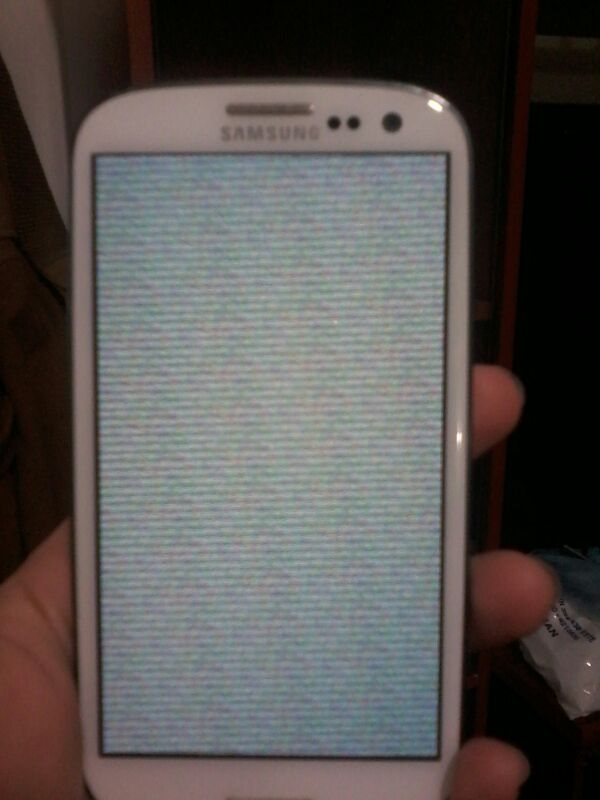
In our previous tutorial, we discussed some techniques for fixing the Android black screen of death (see https://www.hovatek.com/blog/how-to-fix-the-android-black-screen-of-death-bsod/ ) . In this brief guide, we’ll be looking at the Android white screen of death. This Android error is characterized by the screen fading to white (sometimes multi-colored) or being white on boot. In some cases, its plain white and inoperable , in others, you could see the opaque apps and icons and even operate the phone.
What could cause the Android white screen of death?
Common causes of this issue are:
- Flashing a wrong ROM: Flashing an incompatible ROM is a bad idea and this is one possible outcome
- Loose / damaged LCD connector cable: If the LCD cable is loose or damaged then there’ll be no display
- Damaged or swollen battery: The battery / PSU might not be powering essential display components
How do I fix the Android white screen of death?
When faced with this, consider the following fixes:
- Battery pull: Remove the battery > Slot back in > Boot the phone (if battery is inbuilt then hold the power button for some seconds till the phone goes off then reboot)
- Clean the LCD connector: If you have a plain white screen (can’t see phone icons or operate the phone) then Turn off the phone > Open the back cover > Disconnect the battery wire > Unlock LCD connector and brush it > Lock the LCD connector back in > Reconnect the battery wire > Start the phone
- Firmly connect the LCD connector: Ensure the LCD connector is firmly seated
- Change the LCD connector: If brushing and re-seating don’t solve then consider replacing the LCD connector
- Flash original stock ROM: If you can still see the phone icons / operate it behind the whitish screen then consider flashing the original stock ROM (see https://www.hovatek.com/blog/how-to-upgrade-an-android-smartphone-or-tablet-operating-system-os/ )
- Push the reset button: Locate the reset hole and push it in with a paper clip
- Try a different battery: Consider trying a different battery to rule out the battery as the cause
Hovatek….just a button away!
please send me stock rom for azumi iro a5 q. will be greatfull
Please send me stock rom for tecno m3s stock rom. I will really appreciate.
To get permission to download stock ROMs, please read https://forum.hovatek.com/thread-1326.html