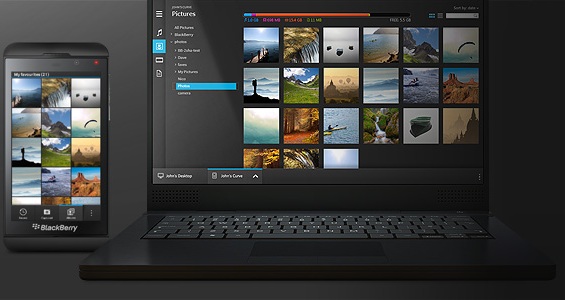
Not only Android phones have occasional problems of a PC not detecting the memory card (See https://www.hovatek.com/blog/how-to-fix-an-android-phones-mass-storage-sd-card-that-wont-connect-to-pc-using-usb-cord/ ), Blackberries also do. This same issue in Blackberries is however easier to diagnose and fix. Lets take a look at possible causes of this issue and how to resolve it.
What could cause a PC not to detect a Blackberry’s mass storage / SD card?
The most common causes of this issue are:
- Disabled mass storage: The Mass Storage upon connection to PC might have been disabled
- Improperly installed drivers: A problem might have occurred during Blackberry driver installation on the PC
- Exception errors: These are rather common Blackberry errors that indicate Blackberry OS errors (See https://www.hovatek.com/blog/how-to-fix-repair-a-corrupt-nuked-or-crashed-blackberry-operating-system-software-os/ )
- Faulty USB cord: The USB cord might not be making firm contact with the Blackberry’s port
- Faulty Blackberry / PC port: The Blackberry’s port or PC’s port might be faulty
How do I fix a Blackberry phone’s mass storage / SD card that won’t connect to PC using USB cord
A number of techniques you’ll find useful are:
- Change Mass Storage settings: Go to Home screen >
For BlackBerry® 6 and BlackBerry® 7: Options > Device > Storage
For BlackBerry® Device Software 4.5 to 5.0: Options > Media Card or Memory
For BlackBerry® Device Software 4.3 and lower: Options > Advanced Options > Media Card
> Then enable Mass Storage - Restart the Blackberry and PC: Restarting helps clear temporary OS errors
- Check the SD / memory card for errors: The SD card might require a minor check or even formatting in extreme cases. (See https://www.hovatek.com/blog/how-to-fix-repair-corrupt-memory-card-sd-card-or-usb-drive/ )
- Force connection using Blackberry Desktop Manager: Download Blackberry Desktop Manager > Install it > Connect the Blackberry to the PC > Launch Blackberry Desktop Manager > The PC will automatically detect the Blackberry’s SD / memory card
- Try a different USB cord: The USB cord might not be making proper contact with the Blackberry’s port, try a different USB cord
- Try a different PC port: Try changing the port on the PC
- Re-install Blackberry driver: Uninstall previous Blackberry drivers under Device Manager (Press Windows / Start button and search for Device Manager) > Restart the PC > Connect the Blackberry to PC
Hovatek….just a button away!