[Tutorial] How to Backup/Restore Android Phone (files, apps, call log and sms) with MoboMarket
[Tutorial] How to Backup/Restore Android Phone (files, apps, call log and sms) with MoboMarket

15-04-2017, 02:05 PM
In this guide, you will learn how to make a backup of your android phone stuffs like call logs, SMS, files, apps, apps data, etc, this is helpful in cases where you want to root your phone, factory reset or flash your phone and don't want to lose your important stuff.
Requirements:
- Download MoboMarket Here
- Enable USB Debugging in Settings
- USB Cable and Windows PC
- For iOS JailBreak is needed.
Steps to Backup Android Phone files with Mobo Market
Follow the below steps to Backup Android Phone files with Mobo Market
- Launch MoboMarket and Click on Device.

- Click on ToolBox from the Top Bar.

- Click on Backup
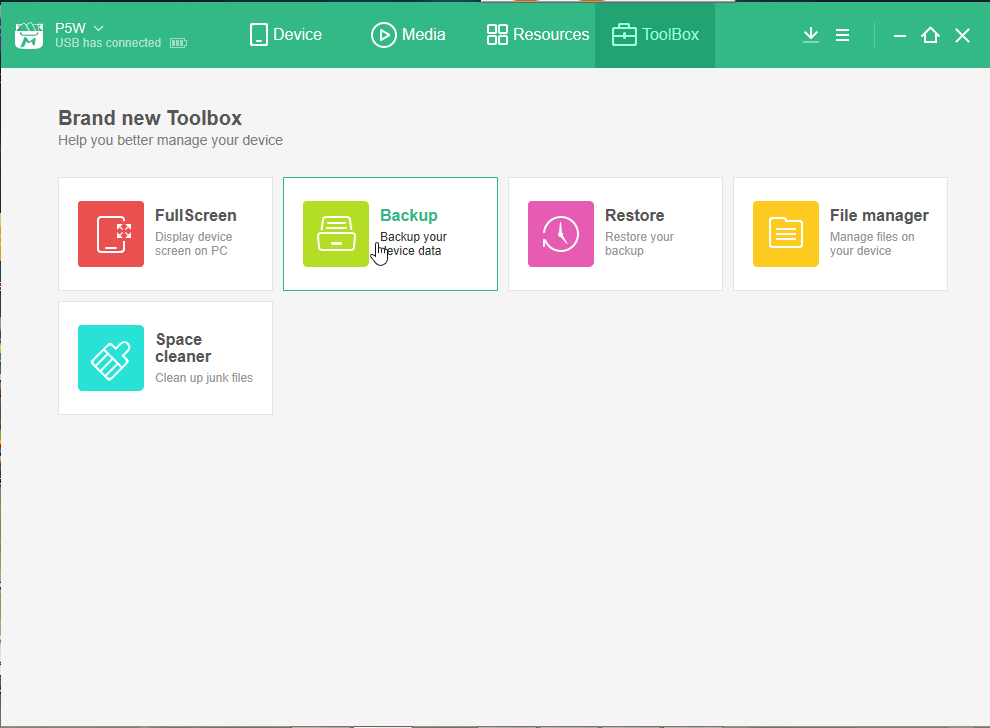
- From the Pop-up select the files you want to Backup, and Click Quick Backup.
Note: You should authorize Mobo Daemon on your device if MoboMarket doesn't have access to your contacts, SMS and call logs.

- You can see the Backup progress from the below image.
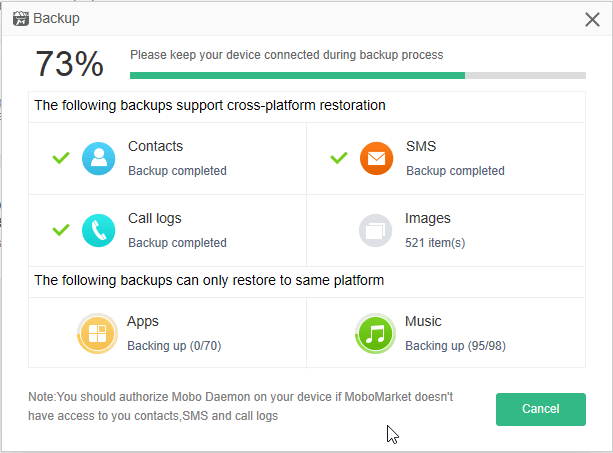
- After your data has been backed up to your computer, you can Click on "View" to see your Backedup files.

Note: Backup restore may fail if you modify or remove files under the folder.
Backup is located in C:\MoboUserData\Backup\
Steps for Restoring Android Phone Backup files with MoboMarket
Follow the below steps to restore your backed-up files with MoboMarket
- Click on Restore from the ToolBox.
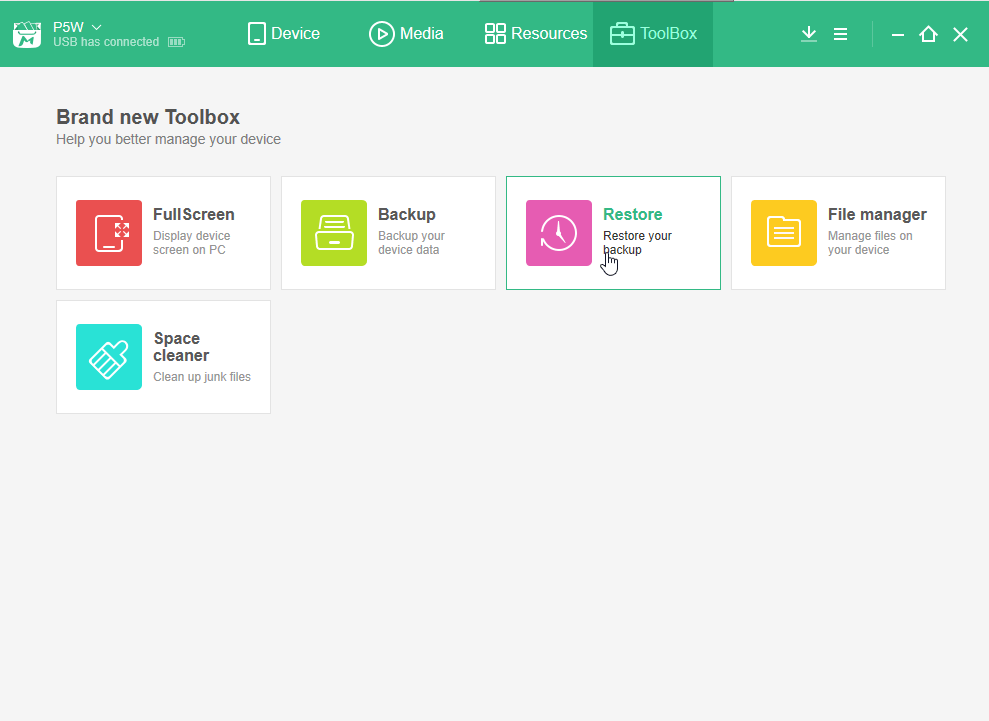
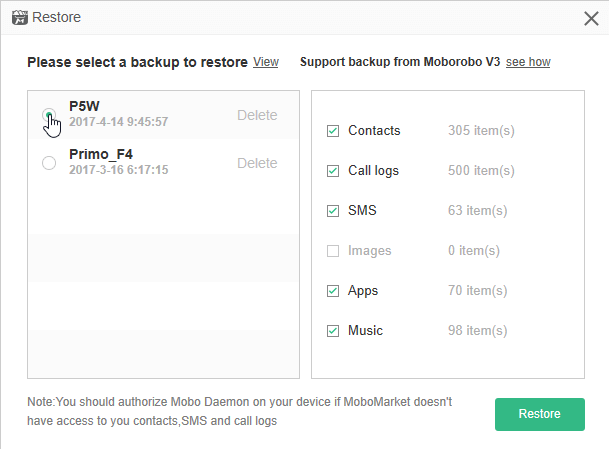
- From Left you can Choose the Backup you want to restore and From Right the files you want to restore. Then Click 'Restore' to Start Restoring Files.
Additional Features
- You can Uninstall Apps from the Device Tab.
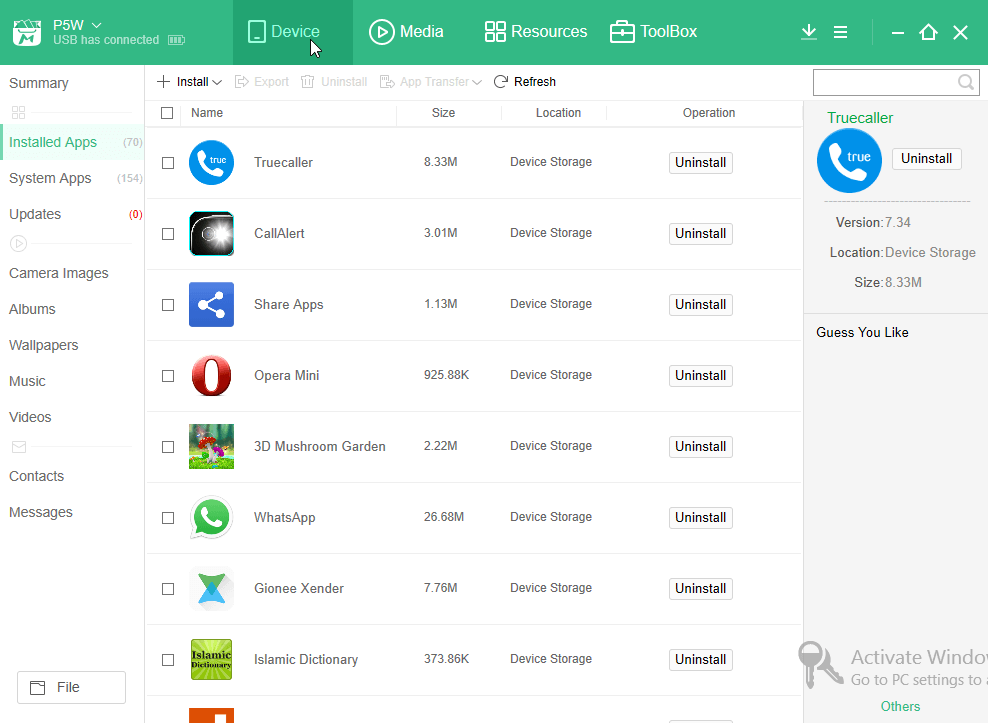
- You can also Download and Install Apps from the Resources Tab.

This post was last modified: 07-10-2019, 11:41 AM by xerxes.

25-04-2017, 02:00 PM
(25-04-2017, 10:54 AM)bhimbho Does Mobo market work for speadtrum devices
Sent from my Halo X using the Hovatek Forum App
It should
Sent from my Infinix X510 using the Hovatek Forum App
Learn MediaTek, Unisoc / Spreadtrum (SPD) and Qualcomm Software Repairs @ https://www.hovatek.com/training
Note!
We have a reply schedule for Forum Support. Please try Private Support if you can't wait.
Users browsing this thread:
1 Guest(s)
1 Guest(s)
Users browsing this thread:
1 Guest(s)
1 Guest(s)


