[Tutorial] How to enable or disable preview pane in Windows
[Tutorial] How to enable or disable preview pane in Windows

06-11-2016, 02:03 PM
The preview pane (as the name implies) helps you preview items before opening them. While its a convenient feature, it can sometimes hinder smooth navigation.
Steps to disable preview pane in Windows
Follow the steps below to disable Windows preview pane
Windows 7
- Open any folder
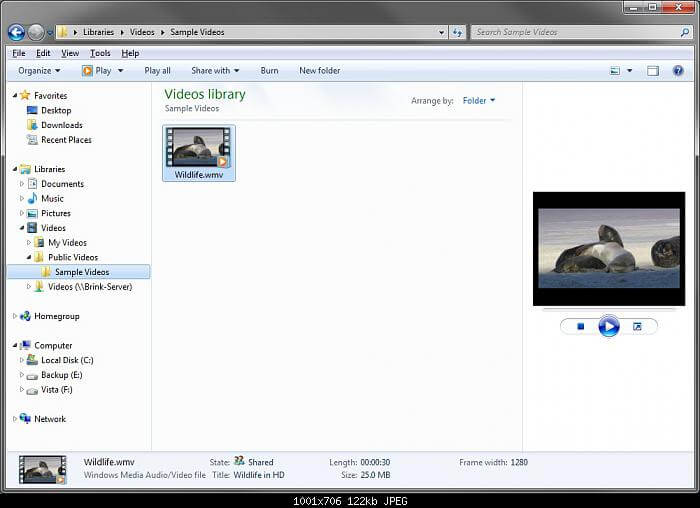
- Click Organise > Layout
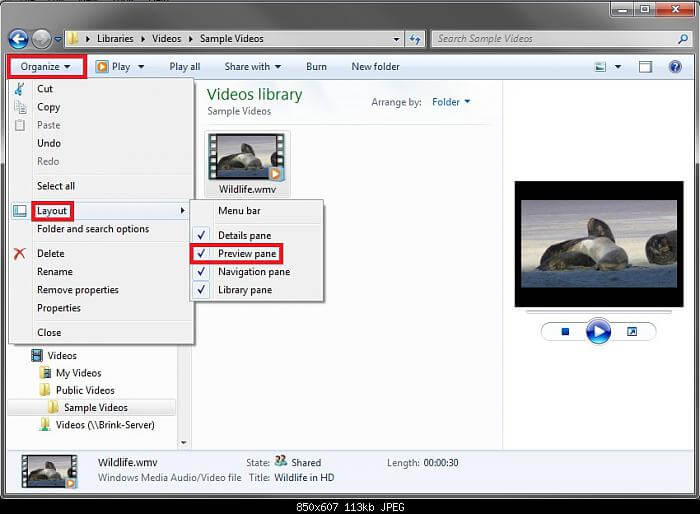
- Untick Preview pane to disable it

Windows 10
- Open any folder

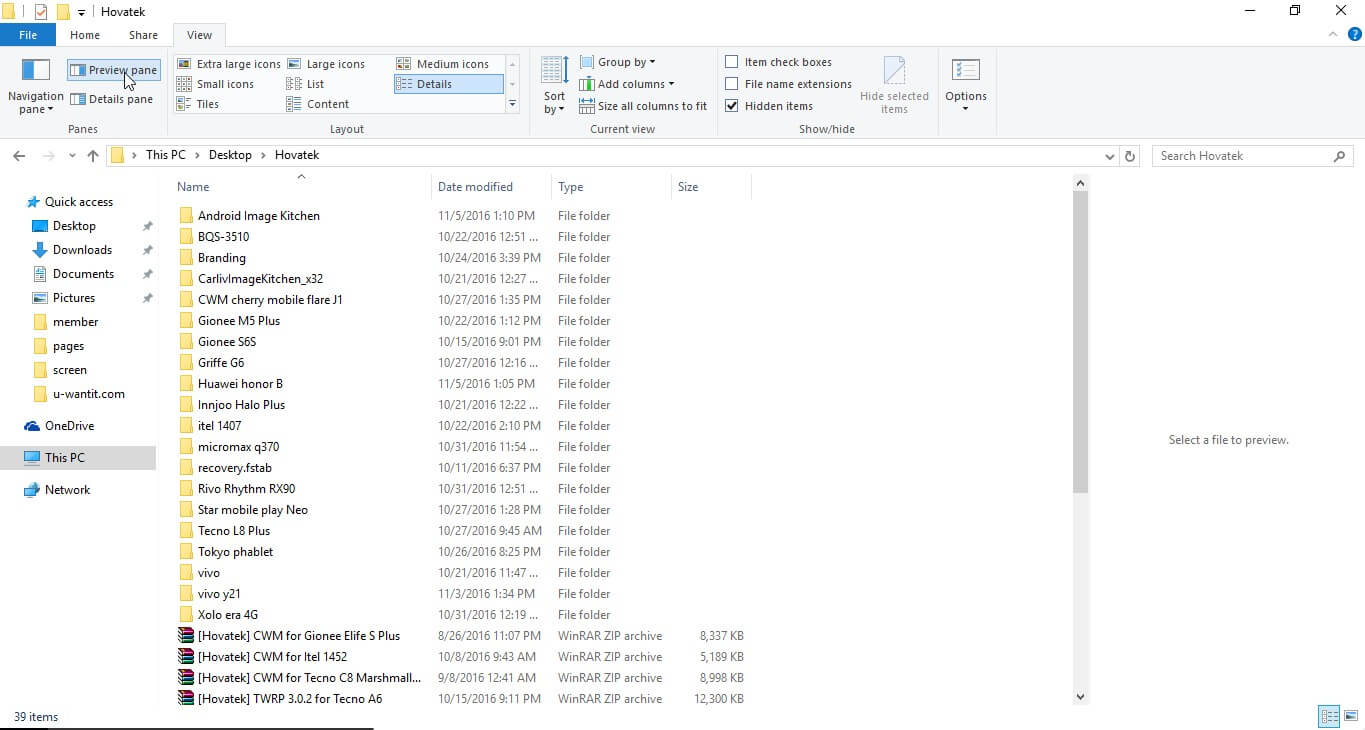
- Click View at the top

- To disable or enable, click Preview pane
This post was last modified: 10-06-2018, 08:15 AM by hovatek.
Learn MediaTek, Unisoc / Spreadtrum (SPD) and Qualcomm Software Repairs @ https://www.hovatek.com/training
Note!
We have a reply schedule for Forum Support. Please try Private Support if you can't wait.
Users browsing this thread:
1 Guest(s)
1 Guest(s)
Users browsing this thread:
1 Guest(s)
1 Guest(s)


