The Infinix Smart 8 (X6525) runs on the Unisoc T606 (UMS9230) chipset, Android 13 OS, 5000mAh battery, and a 720 x 1612 screen resolution. The device in question got bricked due to a botched bootloader unlock attempt. It went dead afterwards. Its build info was:
XOS Version: XOS V13.0.0 (0S13.0- T-P188-230912)
Build Number: X6525-F069ABCDEFGHIGaGbGcGdGeGfGgGhGiGmGnGoGq-TGo-OP-250919V1964
Quick Notes
Some things to take note of when dealing with devices like this are:
- It helps if you know its build number before it gets bricked. This enables you to download the exact firmware it’s running, so you don’t introduce variables that could cause incompatibility issues.
- Only flash necessary partitions. Avoid flashing large partitions like the super partition if you can.
- Deadboot dumps aren’t a silver bullet because there’s a chance they’re not compatible with your device.
- Avoid flashing to the inactive slot unless your use case requires it.
What should have been a quick fix?
The exploit attempted was the CVE-2022-38694 exploit, so a quick fix would have been to use spd_dump.exe to:
- erase the splloader_bak partition
- Flash u-boot-spl-16k-sign.bin from the pac file to the splloader partition
- Flash lk-sign.bin to uboot partition
Unfortunately, there had been previous flash attempts (PAC and deadboot repair files), so there were variables to consider. I stuck to the original build number’s firmware regardless.
My choice of tools
My lineup consisted of:
- Spd_dump.exe
- UnlockTool
- Hydra Tool
I chose spd_dump because it’s free and allows me to access partitions that other flash tools might not list. I first did a full dump using this tool, but I couldn’t rely 100% on this dump yet. It wasn’t about the tool; I just had to consider variables. I flashed the spdloader and uboot_a partitions back to stock. The phone was still deadboot so something else had changed.
I chose UnlockTool to flash the PAC file (which would’ve been faster than unpacking the PAC file and then crafting the flash command for spd_dump), but ran into 3 issues.
The first was Protocol: No response from device (5000)!
Selected Platform: Tiger T612_64_2_Bypass
Connect Testpoint or hold VOL DOWN!
Waiting for device... COM25 (SPRD U25 Diag)
USB: USBYVID_1782&PID_4D00Y58&4183945&0&5
Initializing loader... OK
Protocol : SPRD3
Sending payload.. OK
Sending auth data... OK
Sending preloader1... OK
Sending preloader2- OK
Booting loader, please wait... OK
Boot ver: Spreadtrum Boot Block version 1.1
Sending FDLI... OK
Sending FDL2... FAIL
Protocol: No response from device (5000)!
I bypassed this by choosing Tecno KN3 or Infinix Hot 30i from the model list.
The second issue was that flashing kept timing out at certain partitions. I bypassed this by unticking the partitions that had been flashed, then re-flashing. Mind you, I unticked the super partition all this while.
The phone booted, but with errors, and was stuck. First it showed this:
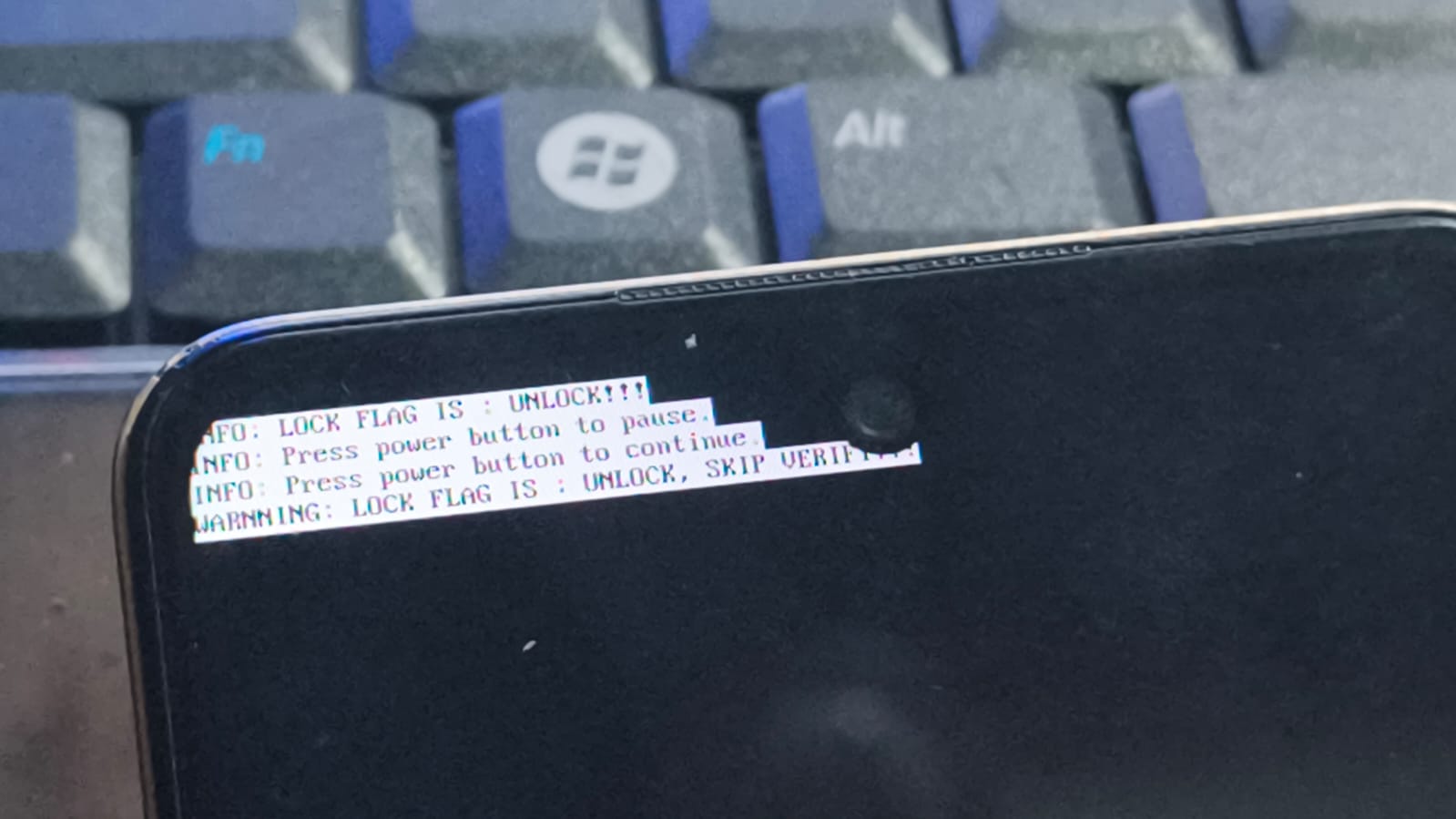
Then it rebooted and got stuck at this screen:
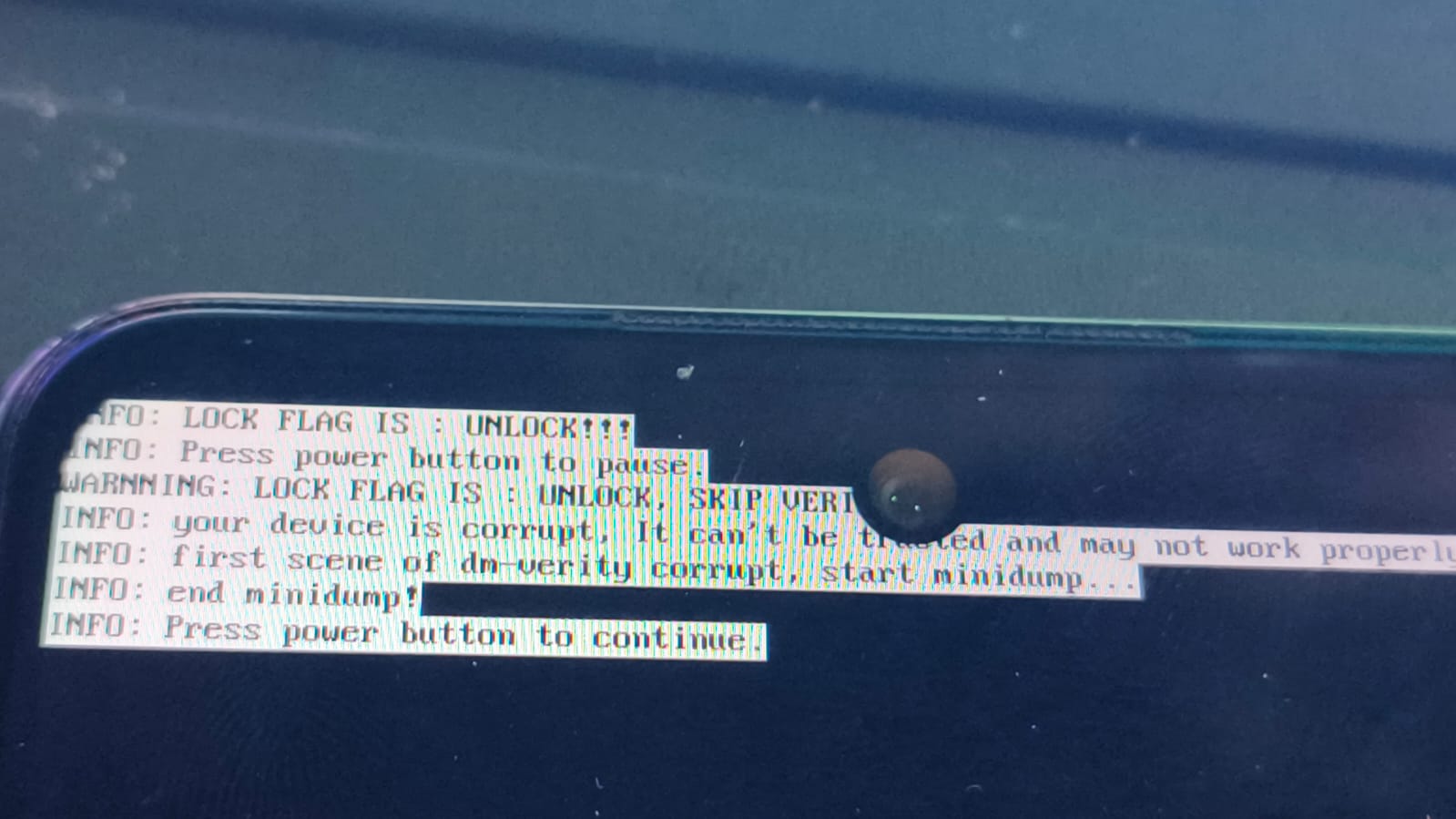
The bootloader was unlocked, but some partitions were messed up with dm-verity corruption.
This was where I encountered the third issue with UnlockTool; Flashing the super partition kept timing out at 6%, so it was unflashable.
I chose Hydra Tool for its partition manager feature and to retry flashing the PAC file with the super partition as my primary objective. Although it looped several times on the super partition, it wrote “OK”. Was it successfully flashed? I didn’t know. The phone was still stuck at that screen, but the super partition was probably back to stock…or not. The only way to tell was to do a readback then unpack and check… too much work at the time.
At this point, I looked at the partitions.xml I had obtained from spd_dump. It was an A/B device, so the only two reasons I could think of (why it was still this way despite flashing the PAC file with UnlockTool and Hydra Tool) were that either the PAC file was incompatible (unlikely) or the inactive slots had been tampered with (possible). Come to think of it, the deadboot repair file that had been flashed would’ve written to these partitions. That could explain the dm-verity error.
Relocking the bootloader and restoring incative slots
I fired up spd_dump, erased splloader_bak, flashed u-boot-spl-16k-sign.bin to splloader, lk-sign.bin to uboot_a and uboot_b and all other *_b slots (inactive slot) to stock. The device booted to the home screen without errors or warnings.
Downloads
The FDL 1&2 loaders used in spd_dump: https://mega.nz/file/90IC0YCS#NXnZW7I6Ai6DkzWGI2cHPU-fgRbNt26emDYTG8Ic8Es