[Tutorial] How to Fix Word Could Not Create The Work File. Check The Temp Environment Variable
[Tutorial] How to Fix Word Could Not Create The Work File. Check The Temp Environment Variable

17-06-2017, 12:02 AM
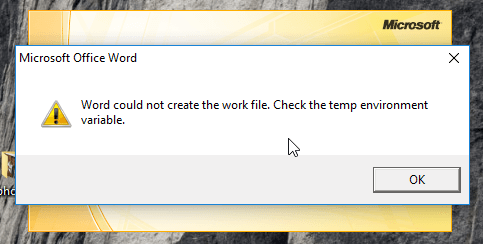
One might encounter the above error when launching Microsoft word for unknown reasons, this guide covers how to fix this error.
Steps to Fix Word Could Not Create The Work File
METHOD 1
Follow the below steps to fix word could not create the work file
- Press Window Key + R combination, type window.exe /r as seen in the image below and Press OK or Hit Enter on the Keyboard
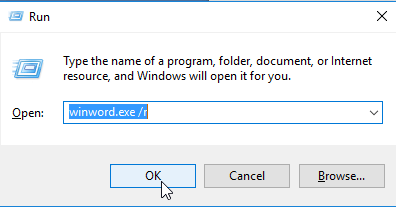
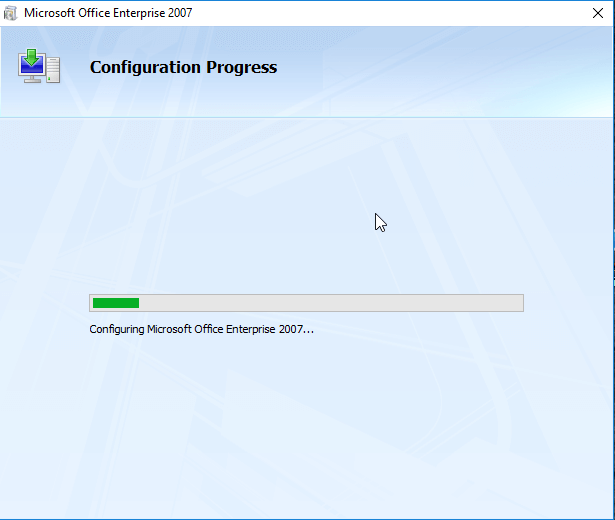
- This will Launch Automatic Repair Process as shown in the image below.
METHOD 2
follow the below method to fix word could not create the work file
- Press Window Key + R combination, type regedit and Press OK or Hit Enter on the Keyboard

- Navigate to the Location:
HKEY_CURRENT_USER\Software\Microsoft\Windows\CurrentVersion\Explorer\User Shell Folders
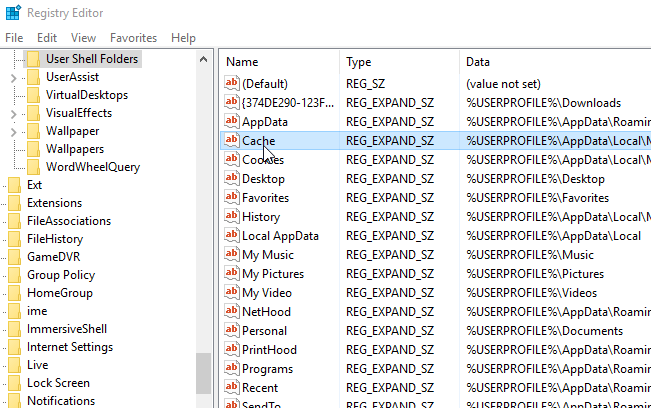
- On the right pane of this location, look for Cache, double click on it and carefully replace the Value Data to:
%USERPROFILE%\AppData\Local\Microsoft\Windows\Temporary Internet Files and hit Enter or Press OK.
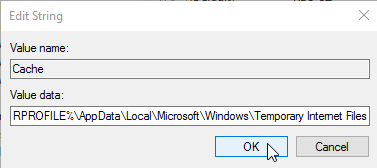
- Close everything and Restart your PC
This post was last modified: 07-10-2019, 06:03 PM by xerxes.
Users browsing this thread:
1 Guest(s)
1 Guest(s)
Users browsing this thread:
1 Guest(s)
1 Guest(s)


